ID_Recognition
Georgian ID Card Reader
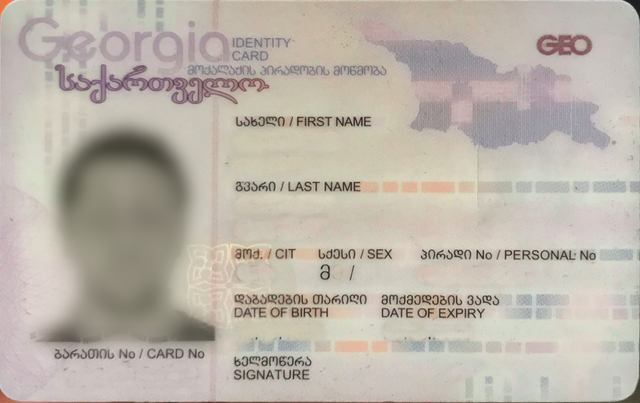
How To Run(Docker Image):
$ sudo docker build -t id-reader:0.0.1 .
$ sudo docker run -p 8080:8080 -it id-reader:0.0.1
NOTE:
id-reader:0.0.1 is our tag of docker image you can build it using different tag
How To Run(without docker):
all what is need to run Georgian Id Card Reader server is:
$ export FLASK_APP=./app.py
$ python3.6 -m flask run  --port=8080 --host=0.0.0.0
this will launch flask server on 8080 port
NOTE:
if you have any errors here check Dockerfile to install required
modules (flask, tesseract, tesseract-ka, opencv, and so…)
How To USE:
wget:
$ wget --post-file=pattern.jpg http://localhost:8080/read
Response:
{
    "name_en": "SAXELI",
    "name_ge": "სახელი",
    "last_name_en": "GVARI",
    "last_name_ge": "გვარი"
    "birth_date": "23.05.1967",
    "card_id": "",
    "exp_date": "1511212021",
    "nation": "GEO",
    "person_id": "",
    "sex": "F"
}
Apply Better OCR for High Accuracy
in ocr/ocr.py you can put your own OCR processing code (GOOGLE OCR, ABBY OCR, …) just write class with defined manner and assign Ocr = YourOcr
Detection Accuracy
detection = prefect detection / number of examples
detection accuracy: 87%
Accurary Using Tesseract(worst ocr generally but best between free and open-source ocrs)
run over 108 labeled example.
{
    "name_ge": 0.4351851851851852,
    "name_en": 0.39814814814814814,
    "last_name_ge": 0.4444444444444444,
    "nation": 0.4444444444444444,
    "sex": 0.5277777777777778,
    "person_id": 0.25,
    "card_id": 0.08333333333333333,
    "exp_date": 0.1388888888888889,
    "birth_date": 0.2037037037037037,
    "last_name_en": 0.26851851851851855
}